Jan Zatloukal: Welcome, everybody, to the Drone Pathways: Foundations of Flight Operations webinar. Today we're here for the 10 questions CTE instructors ask about drone programs. You gave your questions to us. We listened. We put them all together, and we got 10 great questions out of everything here. If you've got additional questions that did not get answered, don't worry, we will be answering those. You can reach out to our sales reps. We'll be putting together FAQs and things, and we'll be sending you more information. Hopefully we did answer your question today, but if we didn't, we'll get to it as well.I'd like to introduce myself and Chloe. My name is Jan Zatloukal, and here we've got Chloe Kyllonen. On our agenda today, we're going to introduce ourselves, do our Q&A session, and then we'll wrap up with a little bit more information on Drone Pathways. We've got our presenters today: myself, Jan Zatloukal. I'm an instructional designer here at PCS Edventures. I've been working here for about four years now, but I've got a little bit more than 10 years of experience in education. I was the lead designer on the curriculum for Drone Pathways, so I'm really excited to tell everybody a little bit more about it.
Khloe Kyllonen: Awesome. I'm the other presenter. My name is Khloe Kyllonen. I've been a STEM program specialist here at PCS Edventures for almost five years now, which is crazy. I feel like I just started, but my job is really connecting you guys with some incredible programming — working with funding and all those different kinds of education landscapes to get you guys these hands-on STEM and CTE programs. That's my goal: to tell you all about our Drone Pathways program, and hopefully it's going to resonate with your guys's goals.
Jan Zatloukal: And she's also amazing at tennis.
Khloe Kyllonen: I wouldn't go that far, but yes, I do play tennis.
Jan Zatloukal: Cool. The questions you've all been waiting for. The way this is going to work is we've got these questions lined up. We've got 10 of them. Again, remember, if we didn't quite get to your question, we will get to it afterwards as well. Our first question:
Khloe Kyllonen: All righty. Kicking it off strong. Jan, I'm curious: What happens if our CTE instructor doesn't have an aviation background? They don't have that Part 107 cert. How are they going to be confident in teaching this Drone Pathways program to their students?
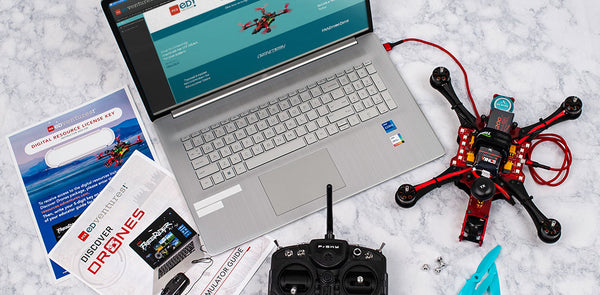
Jan Zatloukal: Awesome. That is a great question that we got from many of you, and it's simple. Drone Pathways is really designed for anyone — any teacher out there — to be able to pick this program up and get running with it. You don't need any background in drones. You've never needed to fly a drone before or have your FAA Part 107 certification. We've got a full instructor onboarding course that goes through step-by-step everything included, everything you need, all delivered on our digital resource portal. We estimate about eight to 10 hours of prep: unboxing, preparing batteries, getting your hardware ready, going over your curriculum, practicing on our flight sim, going over requirements, and then practicing that flight. That's about eight to 10 hours of prep to get through everything before those students get out the door. We are with you there every single step of the way.We also have a complimentary one-hour product orientation webinar that will be with myself or one of our trainers. We also have additional training available for purchase. If we go to the next one here, I put together a little bit of a roadmap that just shows you how we break this all down. We don't need to go through and read through every single piece on this, but we really do unbox and break this all down from unboxing and prep all the way to your flight field readiness. We have an onboarding course and roadmap, and everything is there for you.
Khloe Kyllonen: Yeah, this is awesome. I feel like when I'm talking with districts, they're always concerned about the people who are implementing this. They may even be high school students helping with these after-school programs. If they are not a pro with drones, that's okay, because we have this whole onboarding process for them.
Jan Zatloukal: Absolutely.
Khloe Kyllonen: Perfect. All right, moving right along to question number two here: Does an instructor need to have a remote pilot certification — that Part 107? Do they have the instructional bandwidth to teach complex aviation subjects?
Jan Zatloukal: Again, no. They do not need to know anything about drones before they get started in this course. That onboarding prep is going to get you ready to go with drones and ready to talk about them with your students. The complex aviation subjects are covered in really great depth in the optional Drone Pilot Ground School add-on course. We'll get into our course options a little bit later. We've got four different packages that we can package with that course, but we also have this Drone Pilot Ground School, which is awesome. It's going to go over your airspace, your METAR weather, all of those sectional charts, and everything you need to know. A great thing is an educator can actually get that course, take it, and become Part 107 certified. When their students are at least 16, they can get that Part 107 certification and then fly drones for commercial use.
Khloe Kyllonen: That's really cool. It sounds like the instructor is going to be able to learn right along with the students, which is something that's really cool in this curriculum.
Jan Zatloukal: Absolutely — empowering the instructors and the students as well.
Khloe Kyllonen: Absolutely.
Jan Zatloukal: I get to ask Chloe a question now. Awesome. What combination of indoor training drones, Part 107 test prep, and industry-grade commercial hardware do we need for a sustainable cohort instruction?
Khloe Kyllonen: Yeah, that's a great question, Jan. Luckily, as our company, we've got programs all the way pre-K to 12. You're not just diving into this program for your grades 10 to 12 students. We actually have a track where those upper elementary and middle school students are getting those drone basics before they enter this more professional program.For example, we've got our Ready, Set, Drone! This is going to be the great introduction to drones program. If you want to go to the next slide real quick, you can just see what's in these packages. That first one there, Ready, Set, Drone!, is really Drones 101: What is a drone? What is a UAV? Learning all those basic piloting skills really builds those proficiencies. What I really love, too, is they're learning a lot of drone safety and drone ethics, which, when you're working with those mini drones, may not seem as important until you get to those larger industry drones like the RubiQ UAV and Drone Pathways. Once they've got those essentials, they'll move to Drone Designers. Again, this is going to be for that middle school age — introducing them to those drone basics, but introducing performance arts. This program is really cool: They actually get to go through that engineering design process to costume and character a drone, and then code and choreograph that to a musical performance. There, we're introducing the more creative side of drones as well, a little bit of career exploration, but they're also learning those really key technical parts of coding with the drone as well. After they've completed those two programs, they're really prepared to step into Drone Pathways to get that Part 107 certification.Awesome. Moving on to question number four here. Jan, can you tell me: How will our program comply with the FAA Remote ID rules, drone registration, and school district safety standard operating procedures?
Jan Zatloukal: That's something that's been on a lot of people's minds — regulations and making sure you're complying with all of those regulations. The great thing about our program is it's all set up for you to be able to comply with all of those regulations, including the FAA Remote ID. Those Remote ID modules come with the kits. You just attach them to the drone, it starts broadcasting its Remote ID, and it just works. For all of the FAA registration and the rules, in our instructor guide, we have all of the information needed to go through and comply with all of the rules and regulations, as well as making sure you get the standardization to fly and the authorization to fly.
Khloe Kyllonen: Awesome. Moving on here to question number five. Jan, can you tell me: How can we give beginning pilots enough flight hours to build that muscle memory without risking the really expensive hardware or needing immediate FAA outdoor clearance?
Jan Zatloukal: Awesome. That's a great question. You don't want your students to be flying drones on the first day — not with a more advanced package. There are two ways to accomplish this. You can go through our Drone Pathways curriculum, and we include the RubiQ UAV flight simulator, which is a fully web-based application hosted on the digital resource portal. It runs directly in the browser, so that means 100% compatible with Chromebooks, Mac, and PC. It comes with USB controllers. You just plug them in; they're easy to use. The flight sim features three core modes where the students go through tutorials to learn pitch, roll, throttle, and yaw. Then they do a figure eight, which is a lot more complex than pitch, roll, throttle, and yaw. Then they have a sprayer challenge in there, which is a precision agriculture crop-spraying game. We also included a course builder. This is a sandbox tool for the advanced students to really build their own custom obstacle courses within the flight sim, and they can share them out with the class and play together. We've really gamified it with this flight simulator, which comes with all of our Drone Pathways packages as well.Another way to get your students stick time before they get on a more advanced program like Drone Pathways would be to go through Ready, Set, Drone! That would be a great introductory course for your students as well, and then they're going to be even more confident. Excellent. Chloe, what does a sustainable three- to five-year drone program actually cost to maintain? How can we bundle the hardware packages, training, and multi-year replacement kits onto a single PO?
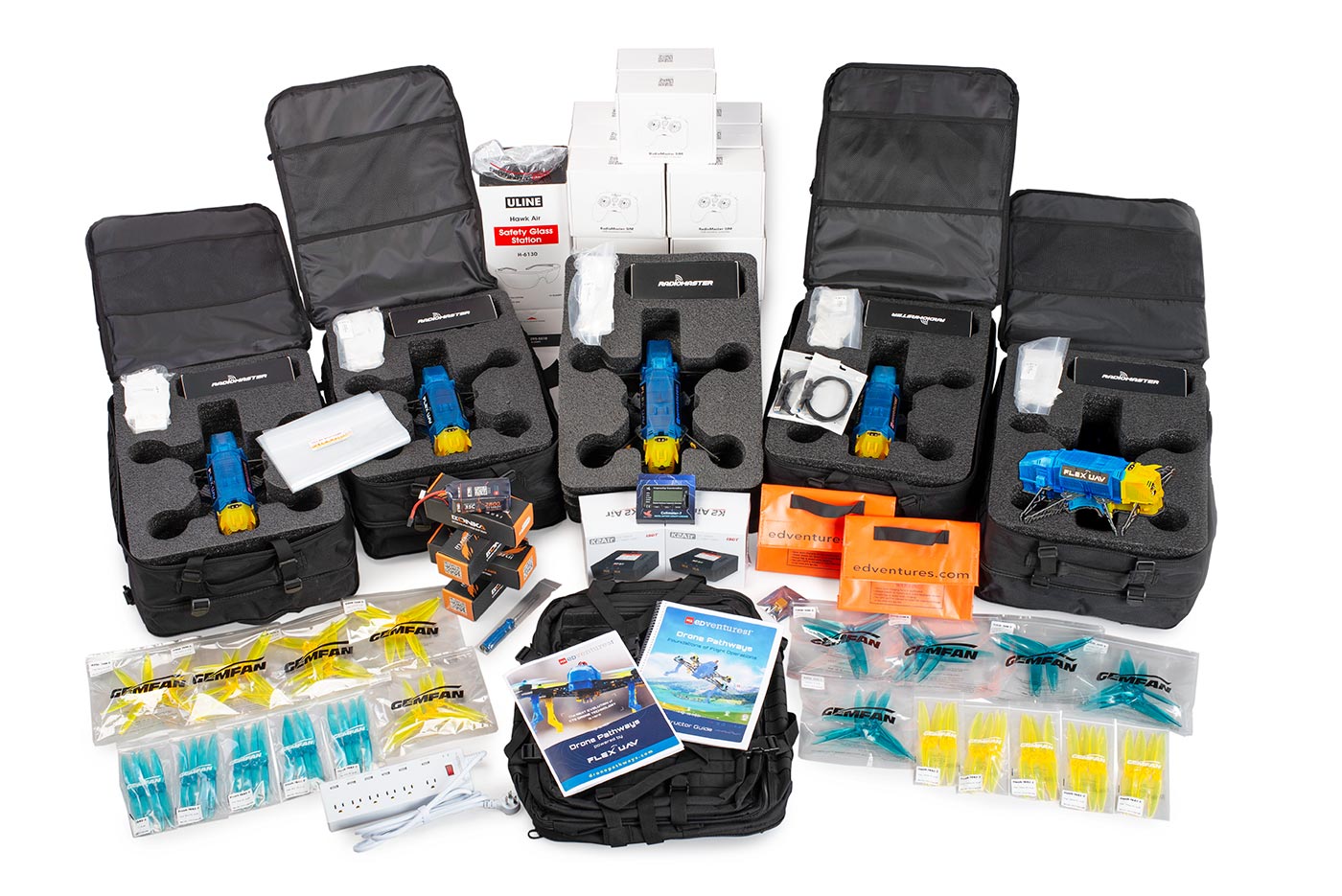
Khloe Kyllonen: Yeah, that's a great question. I feel like this really comes down to us as a company and working with you guys to learn about your goals, your initiatives, your student count, and how often you're wanting to run programs to really customize a solution that's going to work with you and your student sizes. If you go ahead and go to the next slide here, you can see what's nice: One purchase order is going to get you everything that you need. It's going to get you that training that you need for the program, the drone itself, any hardware that comes along with it, as well as the curriculum to guide you through those 20 45-minute lessons. Everything's going to come with that one purchase order. You can see here in this slide everything that each kit comes with: You're going to get the CTE-aligned curriculum. One thing I love that we added this year to make us look a little more professional is those storage backpacks. When students are going out to that flight field, they are going to look professional and be prepared with all their backup supplies. If they need new batteries to change, that's all right; they've got them in their backpack, swap it out, and they've got more flight time. One purchase order really gets you everything here — even that Part 107 add-on.Next slide, please. What we've done is broken this up into four different package options to really help fit different environments. This one is our starter two-drone package: a great way to just get students introduced to those drones and maybe pilot this program to see if you want to add more drones to that cohort. This is just under $4,000 — very reasonably priced for what you're getting.Next slide, please. This is one of our more popular options: a five-drone package. It gets you a few more drones and flight gear, making it a little better for a larger student size. Next up, we've got two different 10-drone packages. This is our CTE Plus. You can see that's going to come with all the 10 drones there.Next slide: We have our CTE Pro package. The pricing is a little bit different here, but this will actually come with that Part 107 test prep included. You can see that gets you absolutely everything in that package option with one purchase order.We do provide refill kits as well. Let's say you get the one program and you're looking to run this program for three years; we'll just throw in a couple of those refill kits to get you extra propellers, extra motors, props, and things like that to continue to run that program over and over. One more thing that's really cool, too, is no soldering is required. Once you build these drones, you can then take them apart for that next group of students.
Jan Zatloukal: Yeah. This kind of leads into this next question: When students inevitably crash during flight training, will the program grind to a halt waiting for backordered parts and things?
Khloe Kyllonen: That's a great question. Luckily, it's not going to come to a halt. We do provide lots of extra pieces in your kit, as you can see in that picture here: those propellers, those legs, everything like that. One thing that I love that we did with the program this year, since we're working on getting into those CTE spaces, is that a lot of times you've already got a 3D printer there. We can actually send you the code to 3D print these different drone parts, such as the legs and the battery covers. Those are typically the first to break, so you'll be prepared to replace those parts if you have that on site as well. Jan Zatloukal: Awesome. That's almost like a whole other class within the program that you could teach as well.
Khloe Kyllonen: Absolutely.
Jan Zatloukal: Great.
Khloe Kyllonen: Moving on, we've got our question number eight here. Jan, how do you keep a class of 20 to 25 students actively engaged when there's only one drone in the air at a time?
Jan Zatloukal: Keeping students engaged is something that's on the mind of every teacher. I was a teacher for a long time before I started writing curriculum. This curriculum is really designed around this real-world concept of CRM, which stands for Crew Resource Management. The lessons use scenario-based learning to teach the students how to work as a real flight crew. Everybody has a role on that flight crew. Up to five students per drone is what we suggest, and everybody takes on a real role. They practice exercises including safety procedures, communication skills, technical skills, and just general situational awareness — anything that they're going to need to know in any CTE field or really that's good for any job. They're tasked with creating, executing, and then reflecting on flight mission plans, as well as providing constructive feedback to each other. We're really just coaching them up on these durable skills as well as the curriculum standards in there. They do get engaged, and we give them activities to do while other students are flying: They're taking notes, and they are preparing to give their fellow students constructive criticism about their flights and how the teams could work better together.
Khloe Kyllonen: That's awesome. Collaboration is something that's hard to teach, but I think this program does a great job of it. It's something these students are going to be doing the rest of their lives as well.
Jan Zatloukal: Absolutely. Whatever field they end up going into, it's going to be very useful.
Khloe Kyllonen: Just like what we're doing here. All right, moving on to question nine here. Jan, can you tell me: How does Drone Pathways help an instructor become competent to manage LiPo batteries and safety during flight?
Jan Zatloukal: Safety is obviously a big concern. During the pilot that we did in Emmett, Idaho, for Drone Pathways, I worked with a group of students. I told them, "I'm either going to say the word 'safety' more or 'listen up' more." But I said "safety" more. Probably every sentence or every other sentence, I used the word "safety." We include several elements to ensure safety throughout the program. We have a LiPo battery charger guide within our instructor guide that you can see here on the screen, and we have videos on battery safety as well. The LiPo guide covers battery basics, charging, extending your battery life, and battery storage. If we continue to the next slide, the instructor and pilot log also include information about flight field safety, emergency procedures, and how to establish safe flight line boundaries. You can see our flight line boundaries here: We have a no-entry zone, a pilot line that's 15 feet back, and a spectator line that's 25 feet back. We reiterate safety throughout the instructor guide, the lessons, the slides that come with it, and through the pilot logs.
Khloe Kyllonen: Awesome. We're going to wrap up here with our final question: Why choose Drone Pathways over these other drone programs?
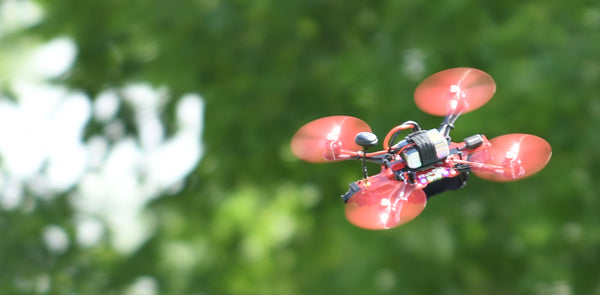
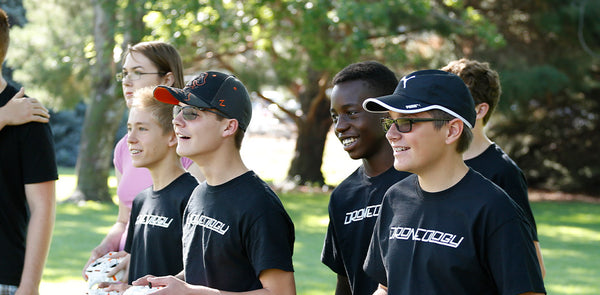
Jan Zatloukal: That's a good question. Drone Pathways is more than just a package of drones. It includes extensive resources to really get you where you need to be ready for your next drone program — from logging into your digital resource portal, setting up student access to the build plans and flight sim, unpacking the materials, learning about the drones and the related hardware, practicing on the flight sim, to getting flight hours. It's built by teachers to support teachers. As a teacher, I know what it's like to be in a classroom and be given a bunch of technology that I have to learn on my own with very little support. We designed this specifically to support you in being able to be confident getting off the ground with these drones — pun intended. I put a video in here as well from our initial Drone Pathways pilot in Emmett, Idaho. We conducted this pilot with about 16 students — sophomores and juniors in high school enrolled in an intro to aviation course as part of their local CTE program. As you can see, we got FAA authorization to fly right next to the runway at a small local airport. We've got a drone flying in the air, and our cooperating teacher was actually flying his small drone, watching us as we were all flying out there. What you may not be able to see very easily in the video is that a student has a walkie-talkie, and they are talking to the flight tower and relaying information back to us.
Khloe Kyllonen: Another reason why Drone Pathways works — more on the purchasing and grant side of things — is that one purchase order is really, truly going to get you everything you need for a successful program. Instead of having to go out to all these different companies to get training, hardware, and software, everything's going to come all in one here. One thing, too, is that ongoing product support. If you're running this program five years down the road, you've got new instructors, and you're not sure where the curriculum is: Email us. Call us. We are here to support you and get you up and running with that successful program.
Jan Zatloukal: Being able to provide students opportunities to build skills and challenge themselves to take on these real-world responsibilities is a big reason why I got into education. I firmly believe that this Drone Pathways program serves as a foundation for educators to really help fill that critical need.
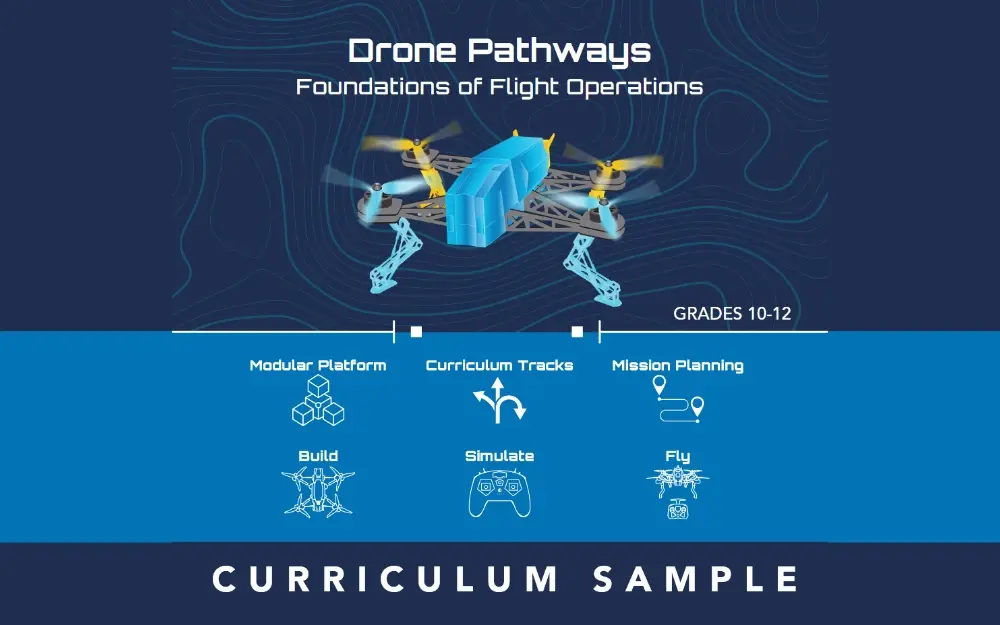
Khloe Kyllonen: Awesome. Our slides are gone, but if you guys go and check out dronepathways.com, it's going to truly show you everything that we're about and give you our backstory as well. We've been doing drones since at least 2017. We've worked with Air Force JROTC to implement drones at the majority of their sites across the United States. We are tried and true, and we've got a ton of information on our website. You can explore those different package options on there and view a full curriculum sample, too, so you can see how that is all laid out.
Jan Zatloukal: If you scan this QR code as well, that will set you up to book a meeting with one of our sales team members. They can answer any questions that you may have.
Ryan Byard: There's also a question about expanding a little bit more on grants. This is from Becca. She mentioned she's at a small school with limited funding.
Khloe Kyllonen: On our website, edventures.com, if you go to our resources and then funding, we do have an AI grant chatbot that can help you find any of those grants that are relevant to you guys in your state. Definitely check out the Department of Education website for the state that you're in; they're going to share a lot about the grants that they offer as well. We are here to help you with those grants, requirements, wording, and quotes that you need. Schedule a consult with us, and we're more than happy to work with you to make sure that we can help you with that grant and get some programs.
Ryan Byard: There's also a question about the legalities of flying outside and what the FAA requires.
Jan Zatloukal: The FAA requirements for flying outside vary depending on the area you're in. Some areas close to airports and things might have more restrictions than others. What we do is have you go through the FAA's website and verify that you can fly in your area. If you can't fly in your area due to some sort of flight restriction, you can get what is called a FRIA, which gives you authorization to fly in that area. There's a process to go through. You can go through the link as well, and through the FRIA, you can identify what you're doing there as an educator working with students to fly drones and teach them. You get that exception, and then we help you write that FRIA as well. We have all of that information in the instructor guide on how to apply for that FRIA.
Ryan Byard: We also had a question from Christopher.
Attendee (Educator): I want to ask you: Is that able to outfit with a camera?
Jan Zatloukal: Since this is a modular drone platform, we are currently working on an add-on that can add a camera with a tilt gimbal. That add-on will have curriculum aligned to it as well. We can't tell you exactly when we're going to finish that, but we are actively working on it, and we've got some great prototypes for how to fit a tilt gimbal on there. The curriculum will cover how to fly it with the tilt gimbal and any software. It will all be open-source materials. To that open-source point as well, for any of these 3D printed parts, we will send you those pieces and those STL files.
Khloe Kyllonen: Awesome. If you guys scan that QR code and want to get a consult set up with one of the STEM program specialists here, we are more than happy to walk you through everything, get those quotes, and get those grant things lined up for you. We're here and happy to help.
Jan Zatloukal: Looking forward to the next one.
Khloe Kyllonen: All right. We'll see you next time.